PROJECT 02 SHIPPED & BUILT 2024-2025

M.I.C.R.O Solo Graphics Engine & Tool

A from-scratch OpenGL rendering engine rebuilt as a usable product, real-time PBR graphics with an interaction design layer over the top.

Role
Interaction Designer & Developer
Year
2024-2025
Scope
Personal Project · Windows · Real-Time 3D
Status
Released
Duration
2 months technical build, 3-4 weeks design pass
Team
Solo
Tools
C++, OpenGL, Dear ImGui, Assimp, SDL, GLM
The M.I.C.R.O Graphics Engine logo, a white microchip symbol above the wordmark on a dark blue gradient.
IMAGE PENDING The M.I.C.R.O Graphics Engine logo.
View the repo on GitHub , opens in a new tab
Interaction Design Product Design UX Design Real-Time Graphics Programming C++ OpenGL Developer Tooling UI Design Performance & Compatibility Testing Solo Development

01Overview

M.I.C.R.O is a real-time graphics engine I built from scratch in C++ and OpenGL, then rebuilt a second time to turn a technically dense but genuinely unpleasant tool into something someone could actually sit down and use.

M.I.C.R.O, short for My Input Controlled Real-Time Output, is a real-time rendering engine supporting physically based materials, image-based lighting, shadow mapping, and an HDR post-processing pipeline, built entirely from scratch in C++ and OpenGL. I first wrote it in 2024, purely as a technical exercise: could I understand and build the systems that power the engines I'd spent years using? That first version worked, but using it was rough. Models loaded at the wrong scale, textures broke, and the program gave no indication when something had gone wrong.

I came back to the project in 2025, once I'd started moving into product and interaction design, and treated it as a second problem. The engine already proved I could build the hard technical parts. What it needed was an interface, a flow, and a level of polish that could stand next to a shipped product.

Language
C++
Graphics API
OpenGL 4.6, core profile
Shading
Cook-Torrance PBR (GGX, Smith, Schlick)
Lighting
Image-based, baked HDR skybox
Shadows
Shadow mapping with PCF
Post-processing
HDR RGBA16F, bloom, ACES tonemapping
Windowing / input
SDL2
Model import
Assimp, plus a hand-written .obj parser
Editor UI
Dear ImGui (docking) with ImGuizmo
Libraries
GLAD, GLM, stb_image
Platform
Windows x64 and x86, Inno Setup installer

02Context

SOLO · PERSONAL PROJECT · WINDOWS ONLY

This is a solo, self-directed project with no client and no external deadline. I started it during my undergraduate studies in game design and programming, out of curiosity about how the engines I'd used for years actually worked under the hood, not as a step toward building games professionally. The first build took about two months in 2024. I set it aside once the technical core worked, then returned to it roughly a year later, once I'd started transitioning into product and interaction design, and spent three to four weeks turning it from a working prototype into something with an actual interface and a stable, testable release.

The scope was deliberately narrow. This was never meant to compete with or replace an existing engine, and I never intended to support anything beyond Windows, the platform the overwhelming majority of anyone who might try it would actually be running.

Constraint

Solo build, no external deadline, no budget, and a deliberately narrow platform target, Windows only, since the goal was a polished personal showcase, not a shippable, scaled product.

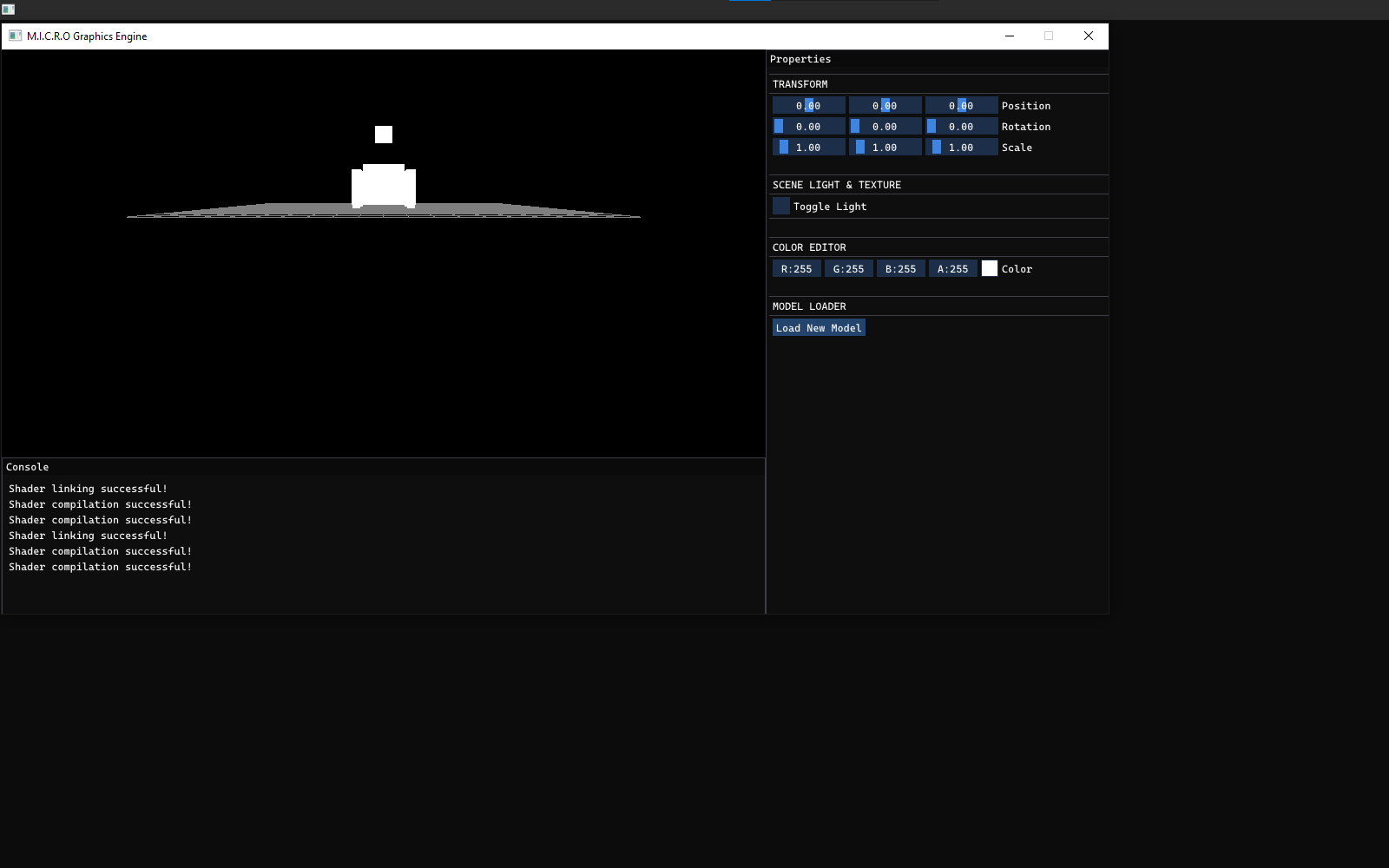
IMAGE PENDING A screenshot of the original 2024 version of M.I.C.R.O, showing the early, unpolished interface before the interaction design pass.
Where it started, 2024

03The problem

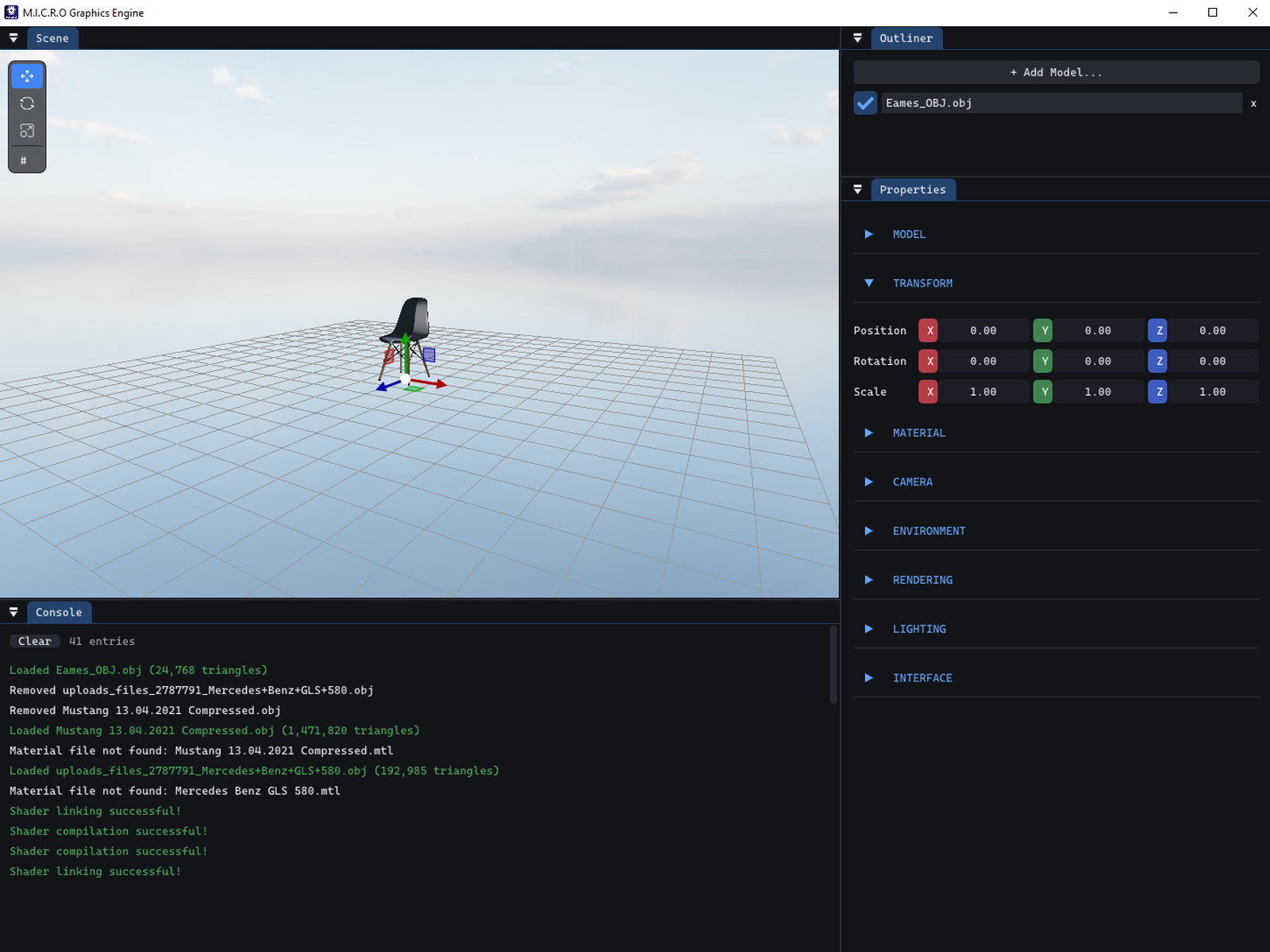
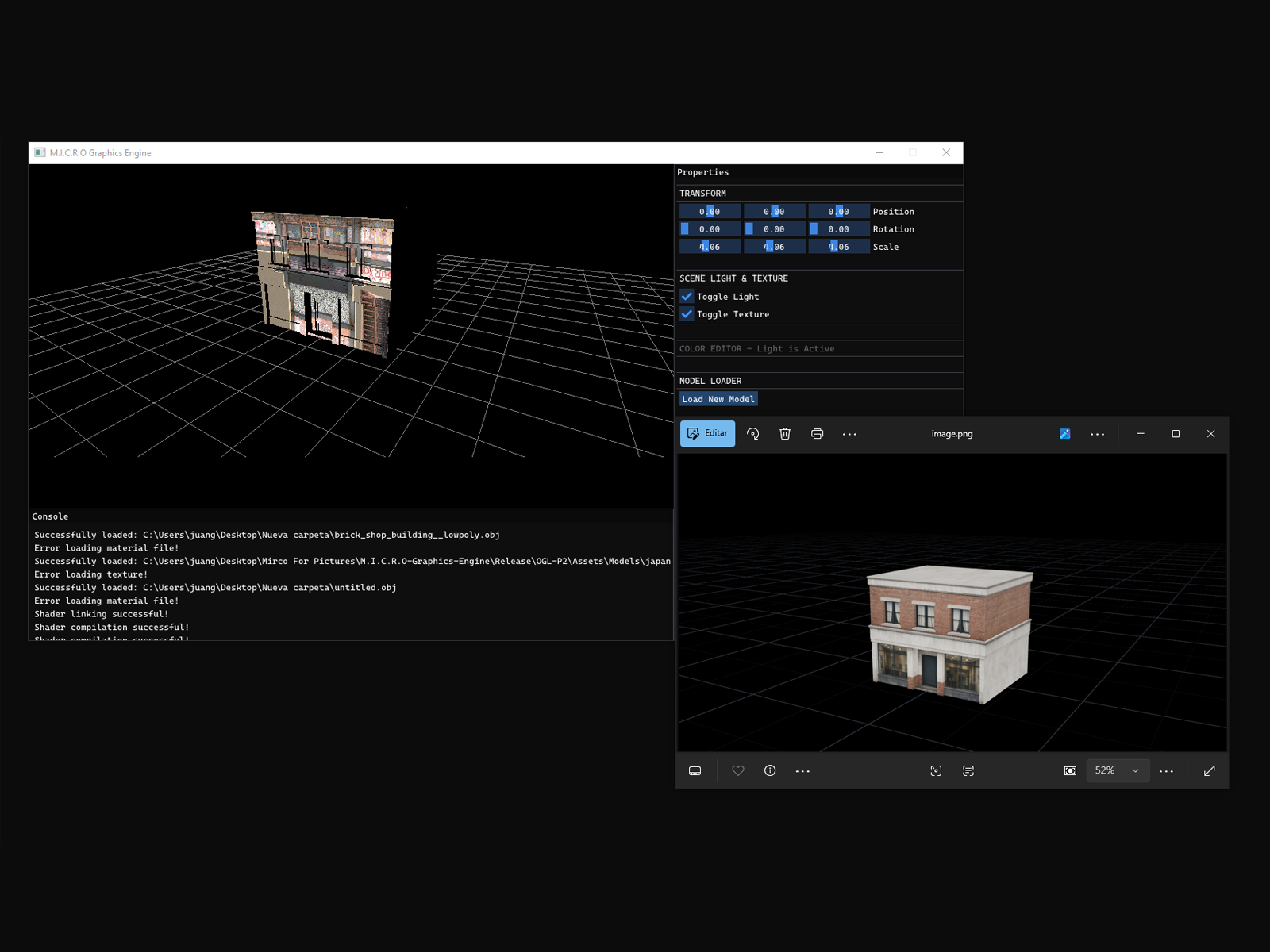
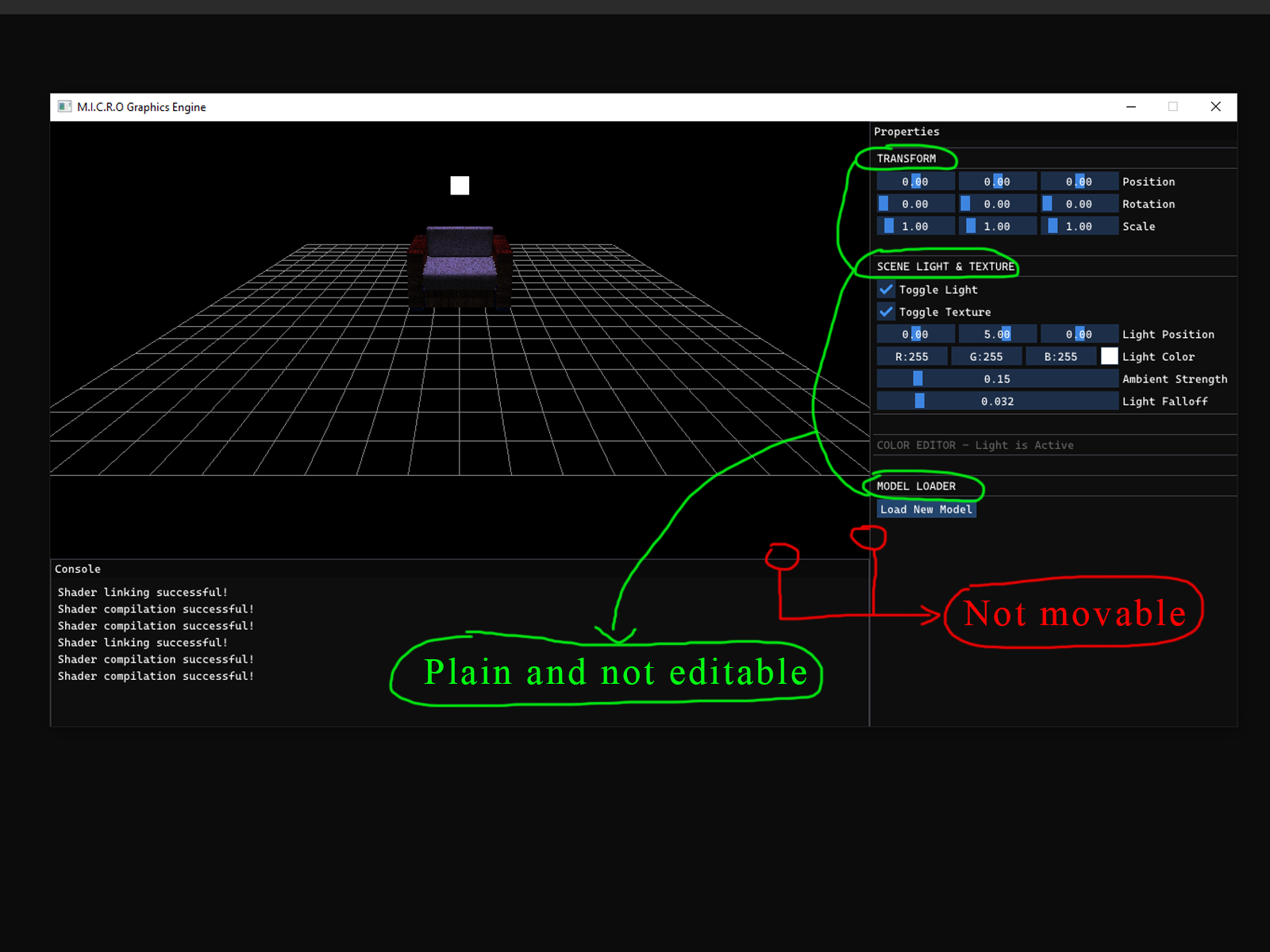
The first version of M.I.C.R.O proved I could build a real rendering engine: PBR shading, shadows, image-based lighting, all working correctly. What it didn't prove was that I could design something. Models spawned at random scale and orientation depending on how the source file happened to be authored. Textures either failed to load or rendered scattered across the model. And if anything went wrong, the only feedback was whatever printed to a terminal window, which defeated the point of a program meant to feel like a finished, standalone product. A technically impressive engine that's confusing to use doesn't demonstrate design skill, it demonstrates the opposite.

04Research

There was no formal research phase. What shaped the interface was years of using other people's engines and editors, and paying attention to what made them comfortable or frustrating.

I didn't run a structured study for this project. The reference points were informal: years of hands-on experience with existing game engines and 3D tools, plus attention to what other people said about the tools they used, what felt intuitive, what they complained about. The camera control scheme came directly out of that, a pattern shared closely across Unity and similar software that I'd personally found the most comfortable across years of using different programs.

The intended audience shaped the decisions too. M.I.C.R.O was never going to be someone's first piece of 3D software. Anyone likely to open it, a fellow developer, a student, someone browsing the repo, would probably already have some familiarity with how engines and viewport tools typically behave. That assumption is why I leaned on established convention instead of inventing a new interaction model from scratch.

05Process

01 Build

Wrote the rendering core in C++ and OpenGL over about two months in 2024, focused entirely on making the technical systems work.

02 Set aside

Left the project once the core rendering was functional, technically solid but rough and unpolished to actually use.

03 Revisit

Came back a year later, once I'd started moving into product and interaction design, to redesign the experience around the existing engine.

04 Harden

Added shortcuts, a command palette, and a proper installer in the final stretch, then tested broadly across hardware and both supported Windows versions.

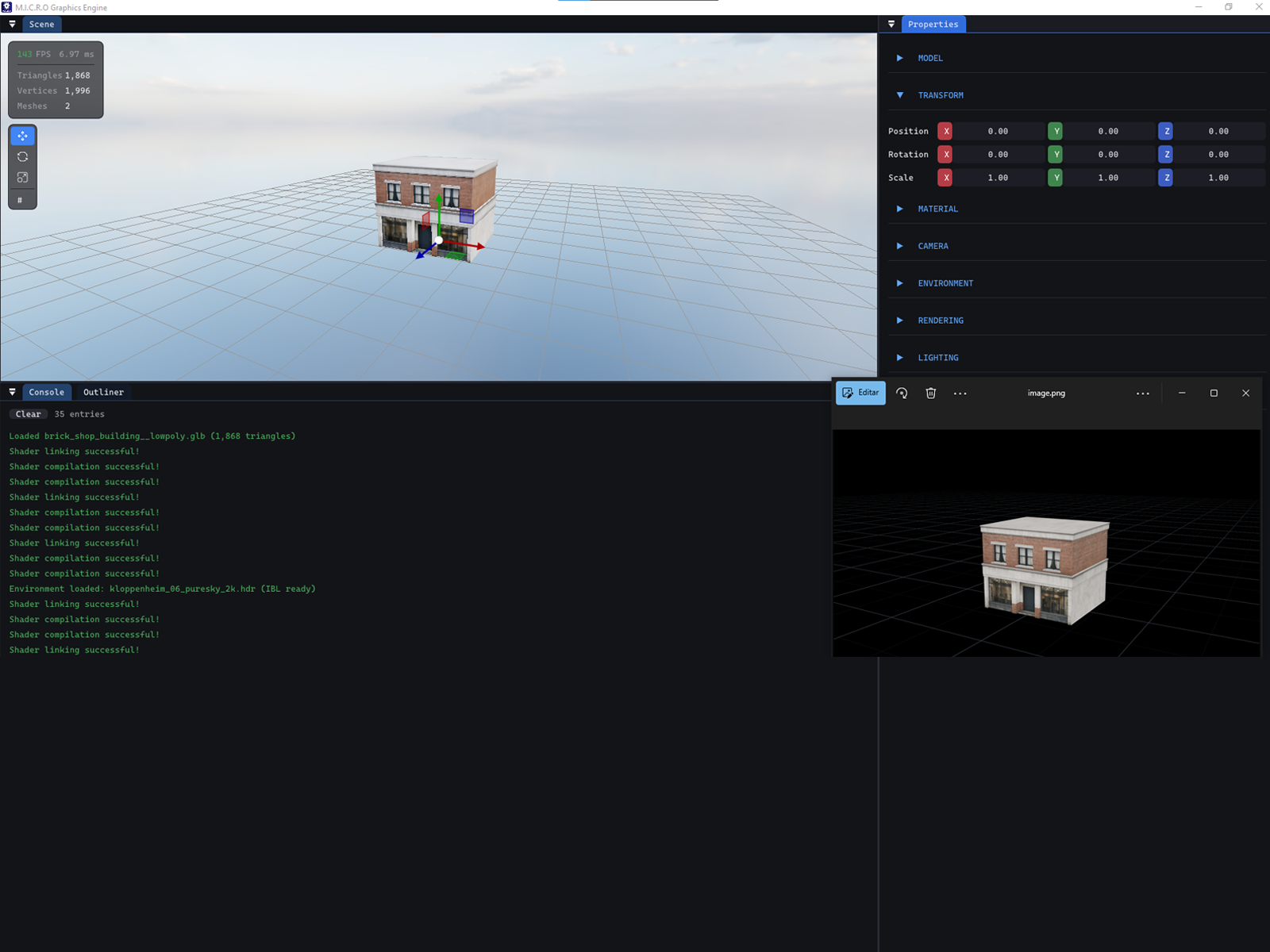
The gap between the two phases matters. Everything under the hood, the renderer, the shaders, the model loading, was already working by the time the design pass started. That let the second phase focus entirely on the parts a user actually experiences: how a model gets in, what the camera feels like, what happens when something's wrong, and whether the whole thing survives running on a machine that isn't mine.

IMAGE PENDING The original 2024 interface, showing the early, cluttered UI before the interaction design pass.
2024
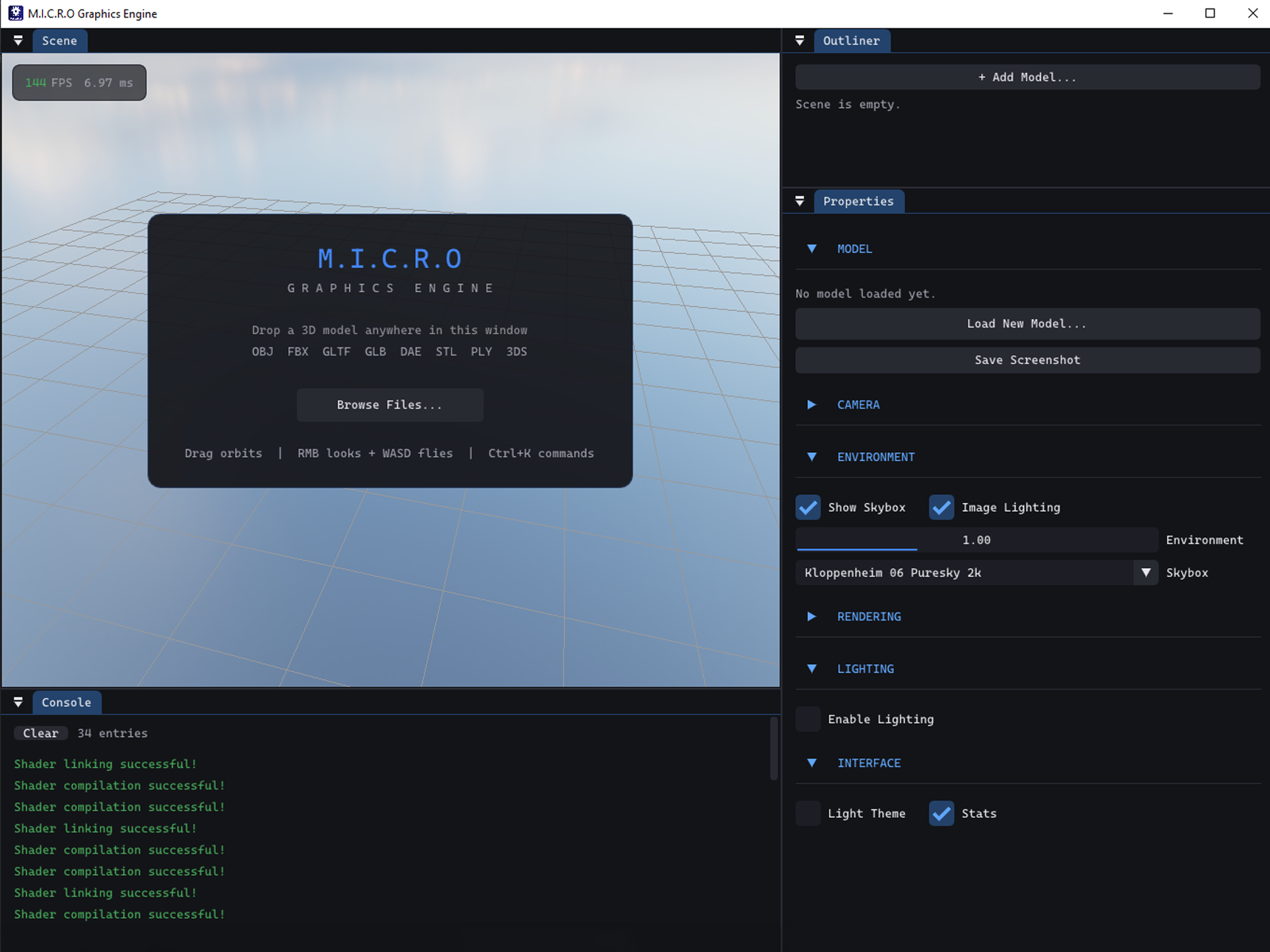
IMAGE PENDING The current M.I.C.R.O interface, showing the dockable panels and refined UI theme.
2025

06Decisions

Decision 01

Auto-framing every model on load

Problem
Models loaded at whatever scale and orientation the source file happened to specify, so a model authored in centimeters could appear microscopic, and one authored in meters could dwarf the scene.
Options
Load models at their native transform and expect the user to manually fix scale and position every time, or automatically normalize every model into a sensible, predictable starting state.
Chose
Every model is automatically rescaled and centered on load, standing on the grid, with a manual scale slider still available for fine-tuning.
Why
A tool where the first thing you see after loading anything is a broken or invisible model fails before it's had a chance to show what it can do. Fixing this automatically removes a problem the user shouldn't have to think about at all.
Result
Any supported model, regardless of the units or scale it was authored in, appears correctly framed the moment it loads.
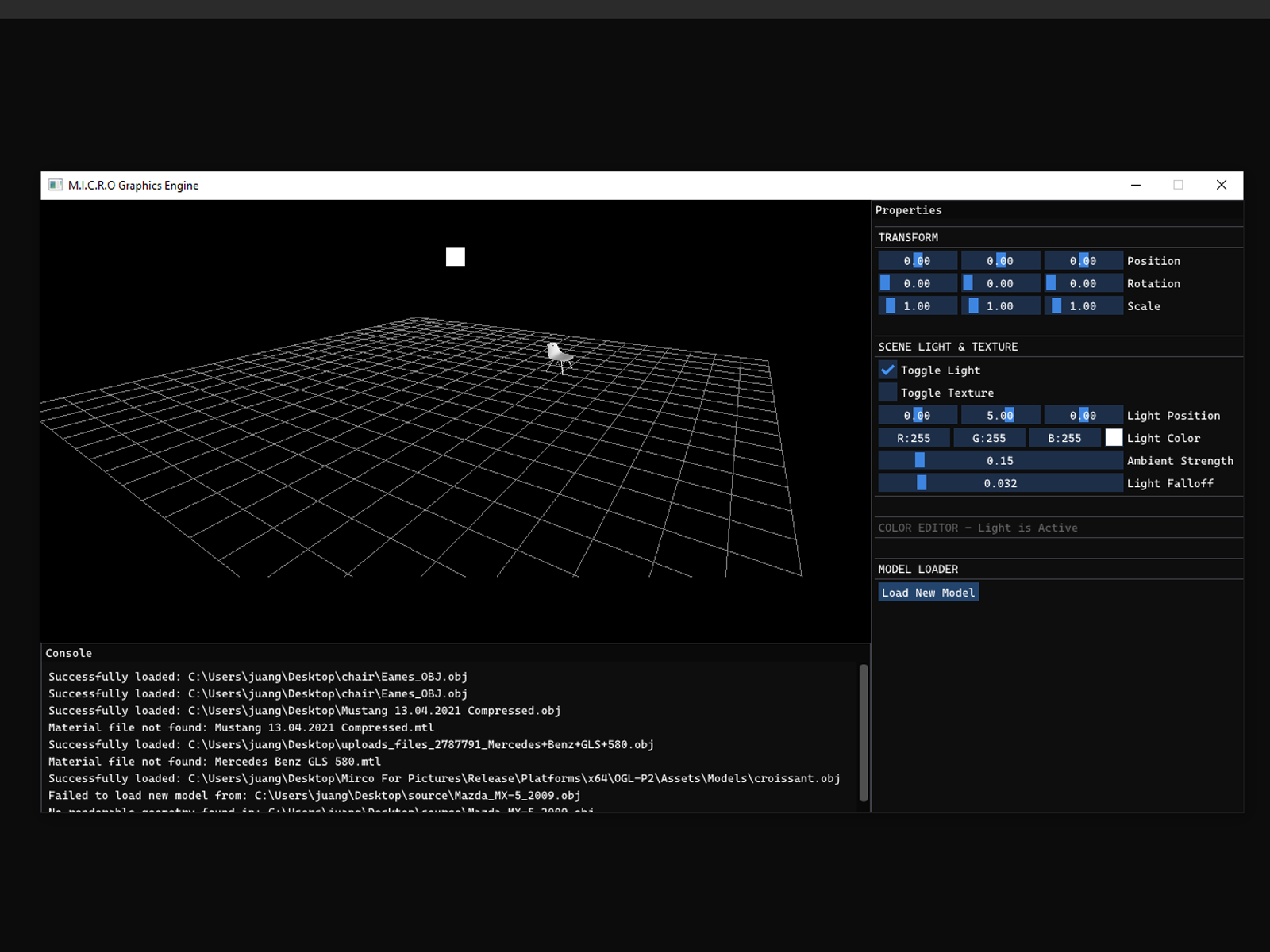
IMAGE PENDING A model loaded at the wrong scale and orientation, the behavior before auto-framing existed.
Before
IMAGE PENDING The same model auto-framed and centered on the grid.
After
Decision 02

Resolving textures instead of requiring them in the right place

Problem
Early on, models either loaded with no texture at all, or with textures applied incorrectly, scattered across the wrong surfaces, especially once multiple file formats were involved.
Options
Require users to manually place every texture file into the engine's own Assets folder in the right structure, or teach the engine to find materials on its own.
Chose
Materials and textures resolve relative to the model file itself, following naming conventions common on sites like Sketchfab, with embedded textures inside formats like .glb picked up automatically.
Why
Forcing a user to reorganize files before they can even see a model defeats the point of a tool meant to feel finished. The fix took real time to get right, but it's the difference between a tool that works with files as people actually have them, and one that only works with files prepared exactly for it.
Result
Models load correctly from any folder on disk, textures included, with no manual setup step.
IMAGE PENDING A model with missing or incorrectly applied textures, the behavior before the asset resolution fix.
Before
IMAGE PENDING The same model with textures correctly resolved and applied.
After
Decision 03

An in-app console instead of a terminal window

Problem
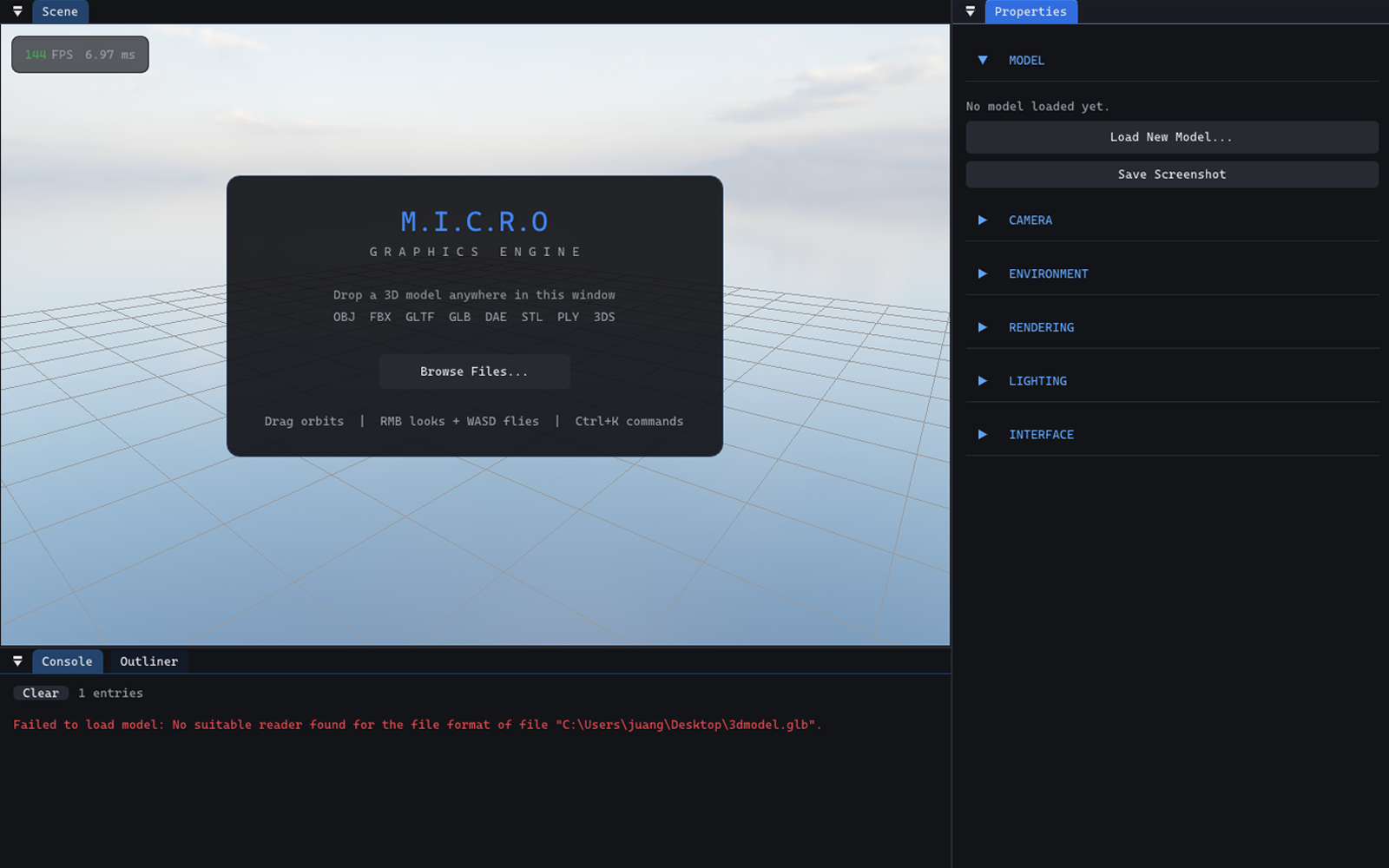
When something went wrong, missing textures, skipped data, the only place that information showed up was a terminal window, if it showed up at all.
Options
Leave error and warning output in a developer-facing terminal, or build a proper in-app panel that surfaces the same information inside the program itself.
Chose
A dedicated Console panel inside the dockable UI, showing warnings and status messages as they happen.
Why
The program was meant to run as a standalone product, not a developer tool launched from a command line. A user shouldn't need a terminal window open beside the program to find out something didn't load correctly.
Result
Warnings and status information are visible inside the same window the user is already looking at, no separate console required.
IMAGE PENDING The Console panel inside M.I.C.R.O, showing a warning message after loading a model.
Telling the user when something's wrong, inside the program itself
Decision 04

Matching an existing control scheme instead of inventing one

Problem
The engine needed a camera and navigation scheme, and there was no reason it had to resemble anything else.
Options
Design a new, original interaction model, or adopt the control scheme shared by Unity and similar widely used software.
Chose
Right-click to freelook and fly with WASD, left-click to orbit, middle-click to pan, matching a pattern most likely users would already know.
Why
Anyone likely to open this program has probably used something like it before. A control scheme that matches their existing muscle memory means they can start evaluating the engine itself immediately, instead of spending their first few minutes learning how to move the camera.
Result
The camera behaves the way it would in comparable, more established software, so there's nothing new to learn before getting to the part that's actually interesting.
IMAGE PENDING The scene viewport mid-navigation, showing a model in view during a camera orbit.
Getting around the scene

07Outcome

RELEASED · WINDOWS · STABLE ACROSS TESTED HARDWARE

M.I.C.R.O now ships as a proper Windows installer, alongside a portable, no-install option, both distributing the full engine with its dependencies included. I tested the final build across a real spread of hardware: dedicated and integrated GPUs, Intel and AMD, a range of RAM configurations, and both Windows 10 and 11, first on my own machines and then with friends and family running it on theirs. The early product design phase broke on several of those combinations. The released version didn't.

This was never intended to be a widely used open source project, and it isn't one, there's no meaningful download or star count to report here. What it did become is what I set out to make: proof that I can take something technically solid and turn it into something someone could actually sit down and use, built entirely on my own.

08Reflection

The testing I did proved the engine was stable. It didn't prove the interface was actually easy to use for someone who'd never opened it before.

Coming back to a project where the hard technical parts already existed let me focus entirely on the experience layer, which is exactly the muscle I was trying to build. Deciding to match an existing control scheme rather than invent my own was probably the single decision that taught me the most: familiarity can be a design choice in its own right, not a lack of one.

The gap, looking back, is that all of my testing was really quality assurance, does it run, does it stay stable, across different hardware, rather than usability testing with someone encountering the interface cold. Friends and family who tested it already had context on what the program was for. I don't have a clear picture of how someone with zero familiarity with 3D tools would actually experience it.

Limitation

All testing validated technical stability across hardware and OS versions, not first-time usability. Nobody who tested this came to it without context on what it was or how to use it.

still don't know what a stranger would think